1. Add a channel
Open Alerts, then Channels, and add one. For Discord, create a webhook in the channel (Edit Channel, Integrations, Webhooks, New Webhook, Copy Webhook URL) and paste it; ServerStats checks it is a real Discord webhook URL and stores it encrypted. For Slack paste an incoming webhook URL; for Telegram a bot token and chat id; email lets you choose which members get it. Click Send test. A message marked as a test should arrive within seconds.
2. Add a rule
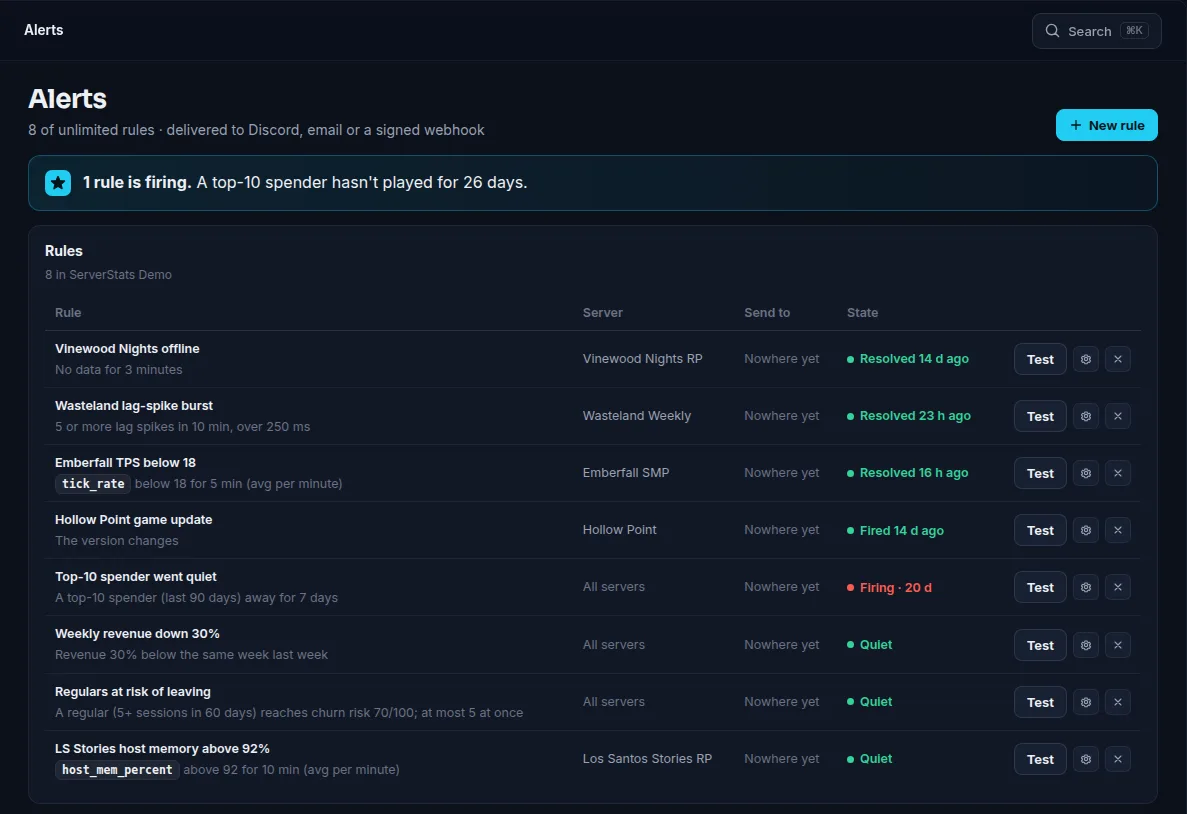
Open Rules and add one. A good first rule is Server offline: pick the server, how many minutes it must be silent (default 5, minimum 2) and your channel. With an agent installed it fires when the agent stops reporting; in basic mode it fires when the public query stops answering. When the server returns you get a recovery message.
Other useful rules:
- A metric crosses a value: for example TPS below 18 for 5 minutes, or players below 1 for 30 minutes.
- Lag-spike burst: default 3 spikes in 5 minutes; the message names the worst spike and the likeliest plugin.
- New version or map: posts once when it changes.
3. Tune it
Alert on a state, not a reading: one slow tick is not an incident. Raise the thresholds or the spike count if it is noisy, and use quiet hours on a channel for planned restarts. Each rule also has Send test.
Free has 1 rule, Operator 25 and Network no limit. Full walk-through with screenshots: Discord alerts guide.