The ServerStats sidecar is a single Linux binary that runs next to a game server that has no plugin API, reads that game's local interface (a REST API on 127.0.0.1, its log files, or a file a small mod writes) and sends signed batches to ServerStats. To set it up: install serverstats-sidecar, run serverstats-sidecar init <game> > serverstats-sidecar.yml, paste your claim code into claim, point it at the game, then run it under systemd. It opens no port and never connects in.
Which games use the sidecar
| Game | init name | What it reads | Install on the game server |
|---|---|---|---|
| Palworld | palworld | official REST API on 127.0.0.1:8212 | enable the REST API |
| Satisfactory | satisfactory | dedicated-server HTTPS API (player count, progress, health) | nothing |
| Terraria | terraria | TShock REST API | TShock with a REST token |
| SCUM | scum | the server's own log files | nothing |
| Project Zomboid | zomboid | a file the ServerStats Lua mod writes, plus the user log | the ServerStats mod |
| Squad | squad | SquadGame.log (no RCON) | nothing |
| TF2, CS:S, L4D2 | tf2, css, l4d2 | a file the ServerStats SourceMod plugin writes | the SourceMod plugin |
| BeamMP (beta) | beammp | a file the ServerStats Lua plugin writes | the BeamMP plugin |
| RAGE:MP (beta) | ragemp | a file the ServerStats Node.js package writes | the RAGE:MP package |
| open.mp (beta) | openmp | a file the ServerStats Pawn filterscript writes | the open.mp filterscript |
The same binary also covers Conan Exiles, DayZ (from the admin log), Path of Titans and Arma Reforger. Moderation from the dashboard works where the game allows it: Palworld, Terraria, DayZ, Arma Reforger and the Source games. Satisfactory, SCUM, Zomboid, Squad and Path of Titans are read-only.
Step 1: Check the requirements
- Linux x64, the same machine as the game server. Only the Linux build is published; a Windows build is coming soon. SCUM's dedicated server is Windows-only, so today it needs Linux with Wine.
- Root or sudo to install a service.
- Outbound HTTPS (TCP 443) to
serverstats.cc. - Read access to the game's files (log readers), or its local API credentials.
Step 2: Download the sidecar
curl -fLo serverstats-sidecar-linux-x64 "https://serverstats.cc/downloads/sidecar/serverstats-sidecar-linux-x64?v=8"
curl -fLO https://serverstats.cc/downloads/sidecar/SHA256SUMS
sha256sum -c --ignore-missing SHA256SUMS
It's about 120 MB because the Node.js runtime is built in; there's nothing else to install. Browser link: serverstats-sidecar-linux-x64.
Step 3: Install the binary and a service user
sudo install -m 0755 serverstats-sidecar-linux-x64 /usr/local/bin/serverstats-sidecar
sudo useradd --system --home /var/lib/serverstats-sidecar --shell /usr/sbin/nologin serverstats
sudo install -d -m 0750 -o root -g serverstats /etc/serverstats
serverstats-sidecar version
Step 4: Write the config and claim code
serverstats-sidecar init palworld | sudo tee /etc/serverstats/serverstats-sidecar.yml
sudo chown serverstats /etc/serverstats/serverstats-sidecar.yml   # it blanks the claim code after enrolling
In the dashboard, open Servers & agents, click Add a server, pick your game and copy the claim code. It works once and expires after 30 minutes. Edit the file:
claim: "SS-XXXX-XXXX-XXXX"        # blanked after a successful enrolment
server_name: "palworld-main"
data_dir: /var/lib/serverstats-sidecar   # key, state and offline buffer
game: palworld
moderation: false                 # also needs moderation on in the dashboard
On first run the sidecar generates its own Ed25519 key in data_dir (agent.key, mode 0600) and sends only the public key with the code.
Step 5: Point it at the game
Secrets are never read from the YAML (an admin_password: key is refused). They come from a file (*_file) or an environment variable (*_env), and are redacted from logs. To create a secret file readable by the service:
sudo install -m 0640 -o root -g serverstats /dev/stdin /etc/serverstats/palworld-admin-password
# paste the password, then Ctrl-D- Palworld: in
PalWorldSettings.inisetRESTAPIEnabled=Trueand anAdminPassword, restart, then setpalworld.admin_password_file: /etc/serverstats/palworld-admin-password. The REST API listens on all interfaces with Basic auth over plain HTTP, so keep port 8212 closed in your firewall. Setgame_data: trueif the server runs with-enable-gamedata-api. - Satisfactory: generate a token with the server console command
server.GenerateAPITokenand setsatisfactory.api_token_file(orapi_token_env). The sidecar never asks for the server admin password. The API URL defaults tohttps://127.0.0.1:7777/api/v1. - Terraria (TShock): in
tshock/config.jsonset"RestApiEnabled": trueand add a token underApplicationRestTokens(groupsuperadmin), then setterraria.token_file. The token travels in the URL, so start the server with-ip 127.0.0.1or keep port 7878 closed. - SCUM: set
scum.logs_dirto the server'sSCUM/Saved/SaveFiles/Logs. - Project Zomboid: download the Zomboid mod, unzip it into
<Zomboid>/mods/(so<Zomboid>/mods/ServerStatsexists), addMods=ServerStatsto<Zomboid>/Server/<servername>.ini, restart, then setzomboid.zomboid_dir. It's server-side only and works on build 41 and 42. - BeamMP (beta): unzip the plugin into the server folder (it adds
Resources/Server/ServerStats), restart, then setbeammp.server_dirto the server folder. The plugin only observes and opens no network connection. - RAGE:MP (beta): unzip the package into the server folder (it adds
packages/serverstats), restart, then setragemp.spool_dirto theserverstatsfolder in the server folder. - open.mp (beta): unzip the filterscript package into the server folder, add
"filterscripts/serverstats"topawn.side_scriptsinconfig.json, restart, then setopenmp.scriptfiles_dirto the server'sscriptfilesfolder. Basic mode keeps working for all three without any of this. - Squad: set
squad.log_fileto.../SquadGame/Saved/Logs/SquadGame.log. - TF2, CS:S, L4D2: with Metamod:Source and SourceMod 1.12+ installed, unzip the SourceMod plugin into the game folder (
tf/,cstrike/orleft4dead2/) soaddons/sourcemod/plugins/serverstats.smxexists, then restart or runsm plugins load serverstats. Useserverstats-sidecar init tf2(orcss,l4d2) and setsource.game_dirto that game folder. Plugin settings live incfg/sourcemod/serverstats.cfg.
For log and mod-file games, the serverstats user must be able to read those files, for example by adding it to the game server account's group (sudo usermod -aG <group> serverstats) with group-readable logs.
Step 6: Test with check
sudo -u serverstats serverstats-sidecar check -c /etc/serverstats/serverstats-sidecar.ymlcheck polls the game once and lists the metrics and events it would send. It sends nothing, so it's the quickest way to catch a wrong password, path or permission.
Step 7: Run it under systemd
Save this as /etc/systemd/system/serverstats-sidecar.service (it's the unit from the sidecar's source, without comments):
[Unit]
Description=ServerStats sidecar (game server analytics)
After=network-online.target
Wants=network-online.target

[Service]
Type=simple
User=serverstats
Group=serverstats
ExecStart=/usr/local/bin/serverstats-sidecar run -c /etc/serverstats/serverstats-sidecar.yml
Restart=always
RestartSec=5
StateDirectory=serverstats-sidecar
StateDirectoryMode=0700
UMask=0077
NoNewPrivileges=yes
ProtectSystem=strict
ReadWritePaths=/etc/serverstats
ProtectHome=read-only
PrivateTmp=yes
PrivateDevices=yes
ProtectKernelTunables=yes
ProtectKernelModules=yes
ProtectControlGroups=yes
RestrictAddressFamilies=AF_INET AF_INET6 AF_UNIX
RestrictNamespaces=yes
LockPersonality=yes
MemoryMax=256M

[Install]
WantedBy=multi-user.targetsudo systemctl daemon-reload
sudo systemctl enable --now serverstats-sidecarFor Source-game moderation the sidecar writes into addons/sourcemod/data/serverstats/inbox; if that's under /home, add it to ReadWritePaths=. For several game servers on one machine, copy the unit as [email protected] with -c /etc/serverstats/%i.yml, and give each config its own data_dir and claim code.
Step 8: Confirm it's sending
sudo -u serverstats serverstats-sidecar status -c /etc/serverstats/serverstats-sidecar.yml
journalctl -u serverstats-sidecar -f
status shows enrolment, the key fingerprint, the link, the buffer, moderation and the game API state. The dashboard's First data checklist completes within a minute or so, and the key fingerprint in the server's settings matches.
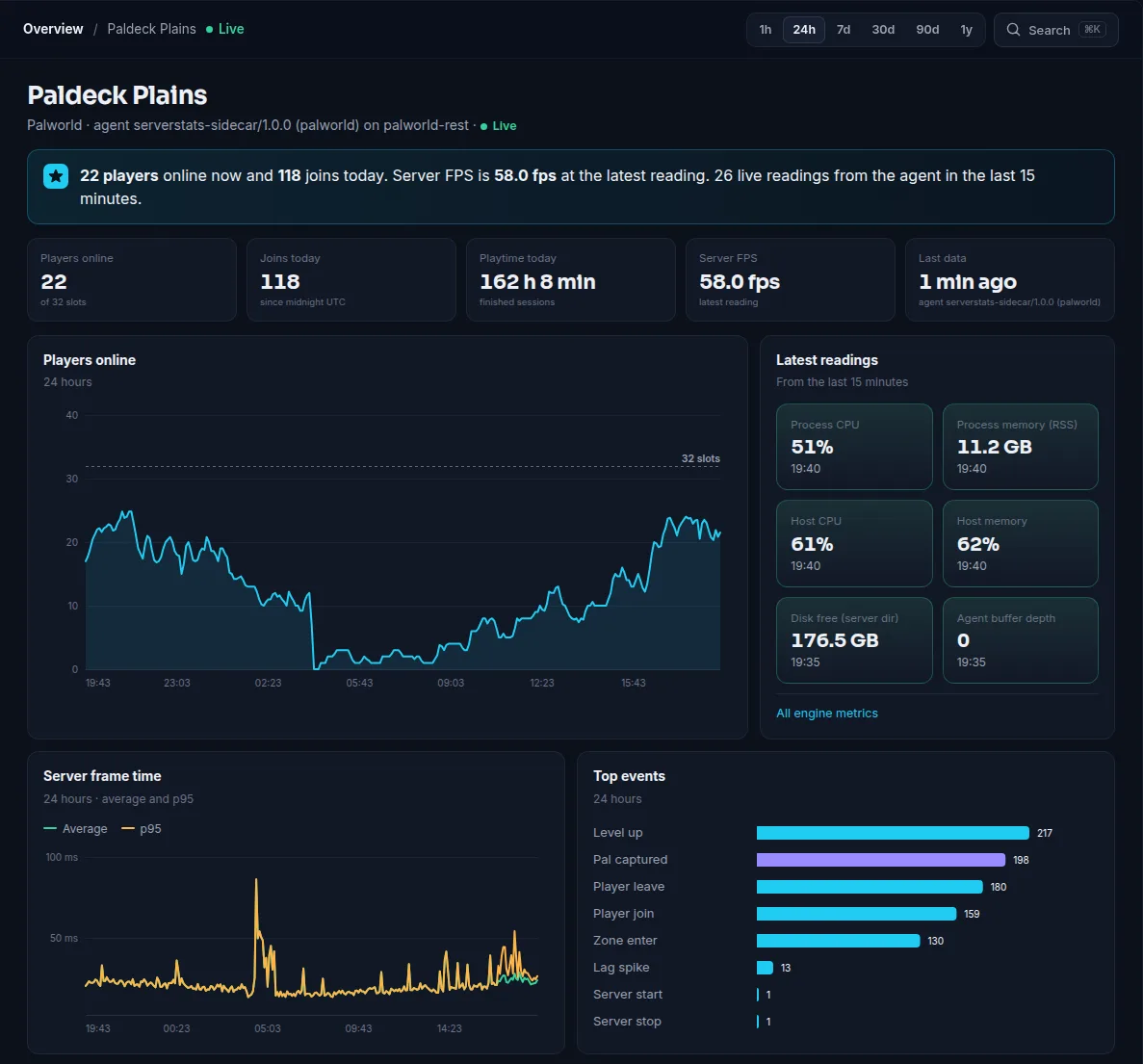
Verify your download
Every release is signed. SHA256SUMS lists the hash of each published file and SHA256SUMS.sig is its Ed25519 signature, made with the ServerStats release key. To check the signature and your copy of serverstats-sidecar-linux-x64:
curl -fLO https://serverstats.cc/downloads/release-signing-key.pub.pem
curl -fLO https://serverstats.cc/downloads/SHA256SUMS
curl -fLO https://serverstats.cc/downloads/SHA256SUMS.sig
openssl pkeyutl -verify -pubin -inkey release-signing-key.pub.pem -rawin -in SHA256SUMS -sigfile SHA256SUMS.sig
grep " sidecar/serverstats-sidecar-linux-x64$" SHA256SUMS
sha256sum serverstats-sidecar-linux-x64
The first command prints Signature Verified Successfully; the last two hashes must be identical.
Troubleshooting
- Link errors: allow outbound TCP 443 and test with
curl -sI https://serverstats.cc. Offline batches are buffered to disk (buffer_mb, 50 MB by default). - Game API errors in
check: wrong password or token file, the file isn't readable byserverstats, or the REST API isn't enabled. A non-loopback API URL is refused unless you setallow_remote_api: true. - Expired, used or invalid code: codes last 30 minutes and work once. Get a New claim code from the server's settings and run
sudo -u serverstats serverstats-sidecar claim SS-XXXX-XXXX-XXXX -c /etc/serverstats/serverstats-sidecar.yml; the running sidecar picks it up within 5 seconds. - Permission denied on logs: see the group note in Step 5.
Updating and uninstalling
Update: download the new binary, sudo install -m 0755 it over /usr/local/bin/serverstats-sidecar, then sudo systemctl restart serverstats-sidecar. The key and state in /var/lib/serverstats-sidecar are kept, and log readers resume from their saved position.
Uninstall: sudo systemctl disable --now serverstats-sidecar, delete the unit file, /usr/local/bin/serverstats-sidecar, /etc/serverstats and /var/lib/serverstats-sidecar, then sudo userdel serverstats. Remove the Zomboid mod or SourceMod plugin if you installed one, and click Remove server… in the server's settings.
What it sends
Only what the game's local interface offers: player counts, sessions, server FPS or tick time where available, and each game's gameplay counters. IPs in logs are skipped as lines are read, chat text is never sent, Palworld coordinates become a map grid cell, and names are sent only if you enable send_player_names. Players are hashed again at ingest into a pseudonymous ID. See the security page. No shell on your host? Use basic mode instead.
 Palworld
 Satisfactory
 Terraria
 SCUM
 Project Zomboid
 Squad
 Team Fortress 2
 Counter-Strike: Source
 Left 4 Dead 2